
Find information manually
- Open the required module
- Locate the relevant report
- Choose time and business filters
- Review the results
Explore supported sales, stock and business questions from within POSCream. Message and voice experiences depend on enabled modules and account permissions.

These images come from POSCream itself, not concept screens. Explore the message and voice interfaces as they appear inside the business dashboard.
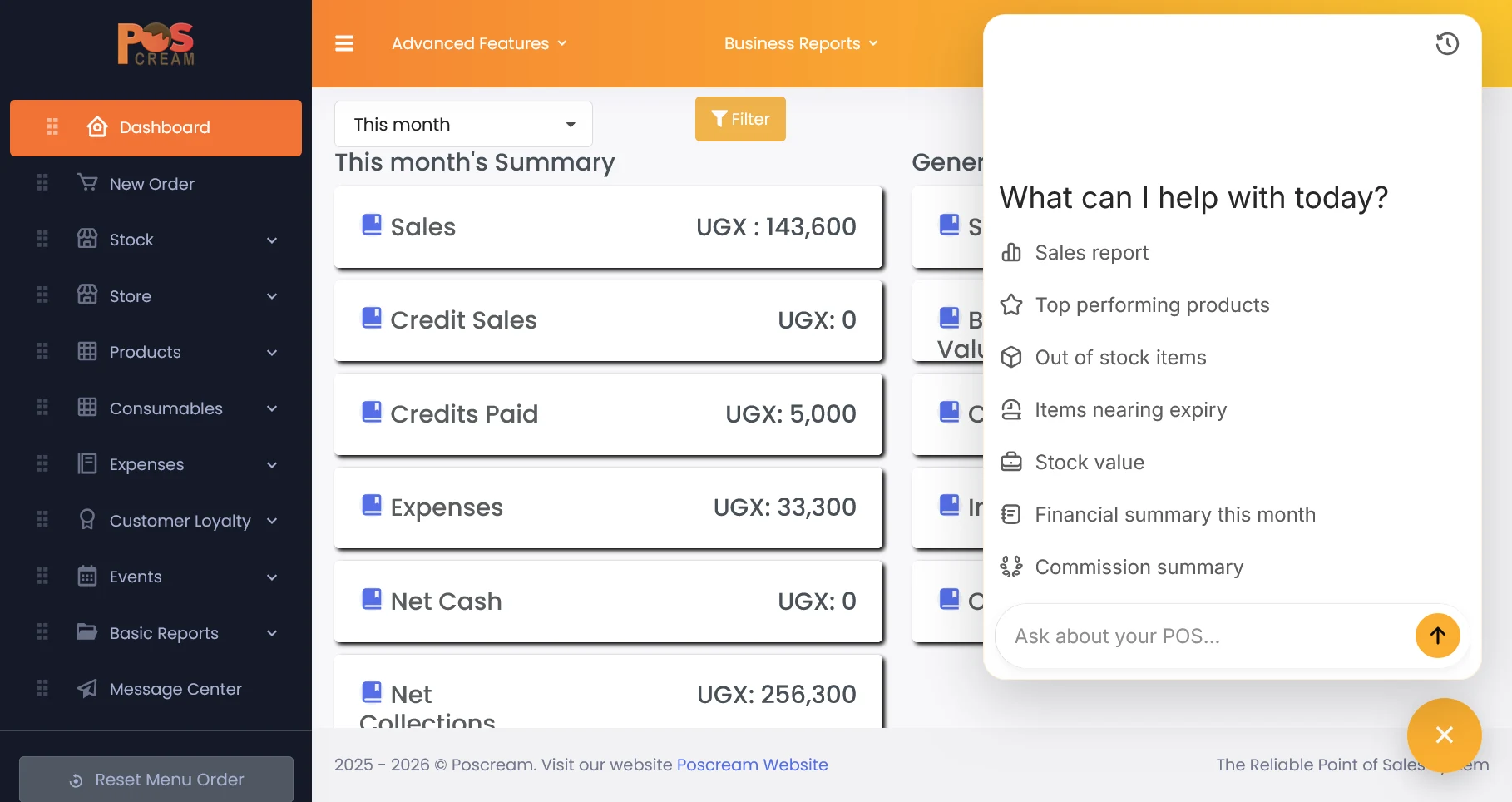
See suggested questions for sales, product performance, low stock, stock valuation and financial summaries, within the POSCream dashboard.
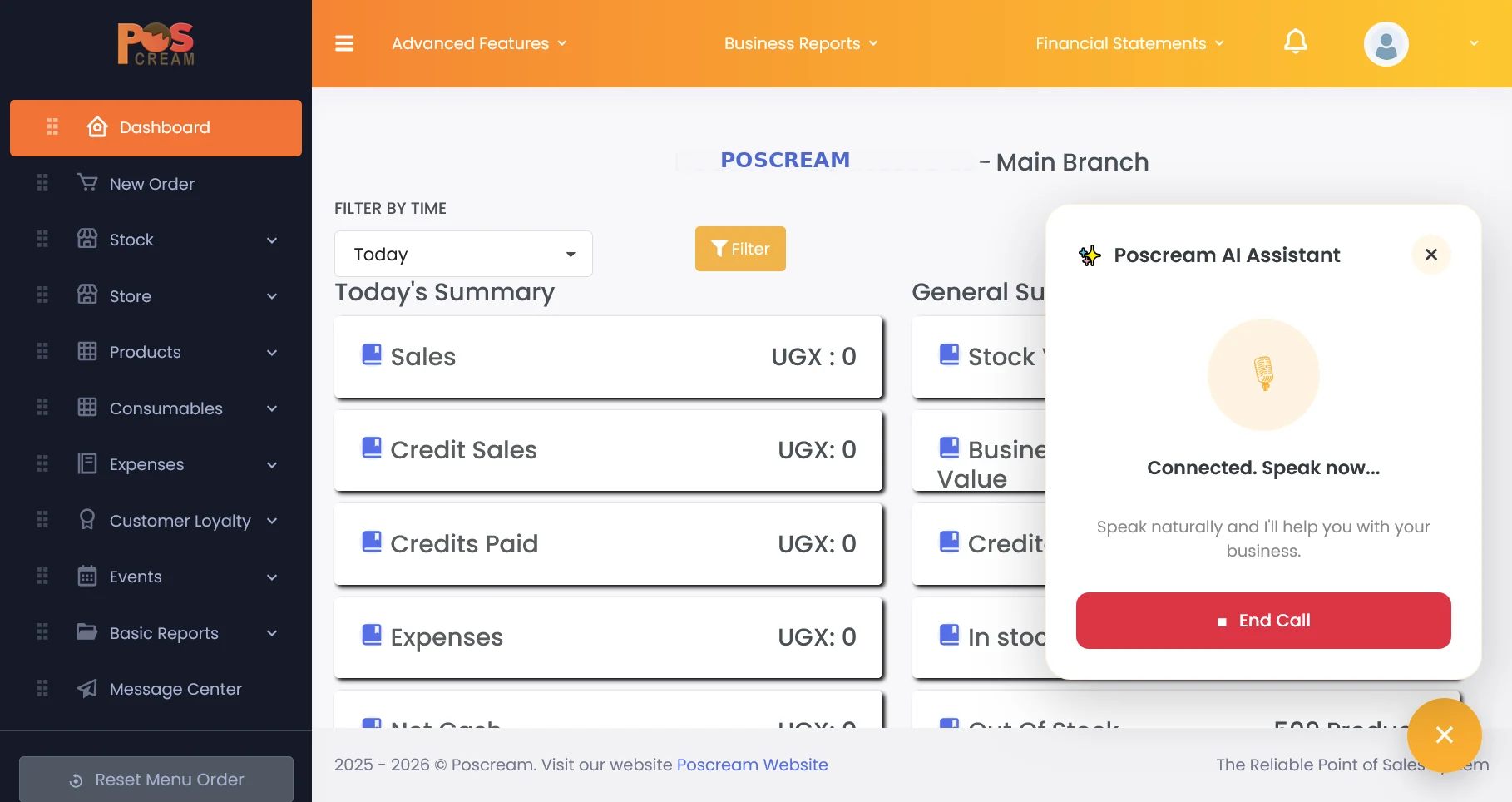
See the actual POSCream voice interface in its connected, ready-to-speak state, alongside the familiar business dashboard.
Actual POSCream application captures. The availability of AI features and responses depends on the account, data, network connection and enabled modules.
Start with everyday questions about sales, stock, expiry, performance and product movement, then review the supported answer inside POSCream.
Example requests only. Responses, voice availability and summaries depend on your account permissions, installed modules and captured business data.